× FIELD GUIDE
Hero Dial Arena rules Build each side within its points allowance, up to 8 figures. Select a miniature to plan its move, or press Attack to target an enemy. Tap adjacent blue squares to draw your yellow route one square at a time. Tap an earlier yellow square to undo, or your figure to restart. Confirm to move along your chosen route, or switch back to attack. Each character takes one non-free action per turn. Two action tokens force a rest; a turn without acting clears tokens.
Attacks use two dice plus attack against defence. Double one misses; double six hits with extra damage. Damage advances the original dial. Range, speed and current powers come from the selected figure.
Computer difficulty: Choose Street Rookie, Avenger or Cosmic Threat above the quick-game buttons. The same setting applies to custom games. Difficulty changes decisions, not dice probabilities.
Power coverage: Probability Control uses automatic decisions to reroll failed friendly attacks or breakaways and successful opposing rolls. Mind Control currently resolves one target at a time. Read the rules and powers audit .
Rules coverage: this is a fan skirmish engine, not a complete official HeroClix simulator. Power labels on dials are sourced; each ability is marked Automatic, Action, or Manual. Object pickup during movement, terrain attacks, Barrier, Smoke Cloud and Telekinesis are implemented. Team abilities and the remaining special interactions use tabletop controls. The computer resolves automated powers only.
Maps: Jungle Ruins, Whiteout Outpost, Volcanic Foundry and Orbital Station add distinct scenery and atmospheric particles. Decorative scenery outside the grid has no gameplay effect. All ten maps support Computer or Friend on this device, with automatic blocking terrain, hindering terrain and line of fire. Mansion and School are playable skirmish adaptations, not exact replicas of the printed maps.
Custom deployment: Each player arranges their figures inside the highlighted starting area and may place up to three objects or terrain markers outside both starting areas, away from stairs. Tap a friendly occupied starting square to swap positions. City uses opposite map edges; the larger adapted maps use marked purple deployment areas. Quick games deploy automatically.
Rooftops: Red-rimmed platforms are walkable elevated terrain. Flight, Leap/Climb and Phasing cross elevation freely; other figures can use paired stairs without stopping. Using the 2024 terrain rule, crossing another red edge ends movement immediately. Different elevations are not adjacent; close attacks across a paired stair connection are allowed. Roof interiors obstruct fire between elevations. Blocking structures stay impassable destinations.
Rules reference: Setup and elevation follow the WizKids July 2026 Comprehensive Rules . The Current skirmish option applies the supported 2026 PAC rules; Classic retains pushing and hindering movement cost. Current Perplex uses minimum range 4, excludes damage, and includes range. Ordinary objects can be picked up by any figure; retired heavy objects and non-object terrain need Super Strength. Both modes have the coverage limitations listed above. The adapted maps and simplified object terrain are not tournament replicas.
Dice: Each die uses an independent, equally likely 1–6 draw from your browser’s secure random generator. The animation reveals the exact game result; it never rerolls. Dice are not physically simulated. Reduced-motion settings show results without tumbling.
Movement powers: Running Shot and Charge let you select and confirm a destination first, then select a target. Flurry lets you choose each target separately. The whole action uses one team action and adds one token. After moving, use Finish without attacking if no target is available.
Screen and animation: Choose Auto, Mobile, Tablet or Desktop at the top. Animation is set to Full by default so iPad, mobile and desktop show the same dice, movement and attack effects. Choose Reduced only if you need shorter motion. Full screen expands the battlefield; Restore view or Escape returns it. Expand dial opens the selected dial with visible action tokens.
Sound and effects: Sound on/off controls power cues, movement and dial clicks. Powers show distinct effects when used; Play effect lets you hear and see any power without spending an action. Manual powers still use tabletop controls. Sound starts after you interact with the game.
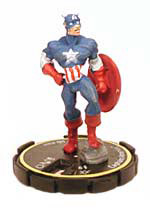
Controls: click/tap to select and move; use camera buttons to rotate or switch overhead. Every character uses its original figure picture on a 3D base. Reduced-motion preferences are respected.
Miniatures and dials: Clix Nexus . HeroClix and characters belong to their respective owners. Unofficial fan prototype.